
Auto Pool Steps
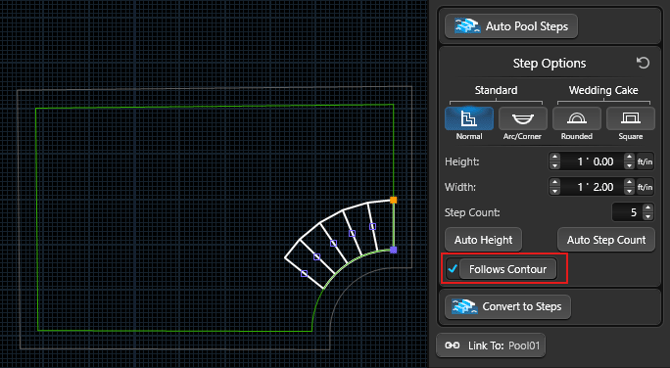
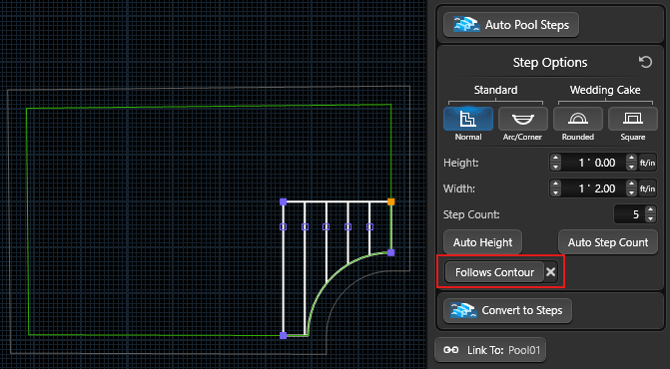
When steps need to follow the radius of the pool wall, Follows Contour is a great option.
Create Staircase: Follow a Raised Area
To have the staircase follow the curve of a raised area, turn on Follows Contour in the Panel.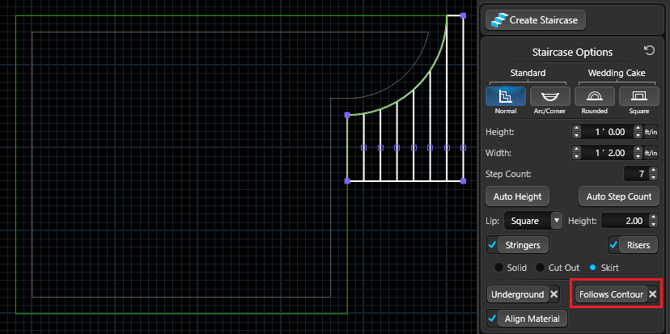
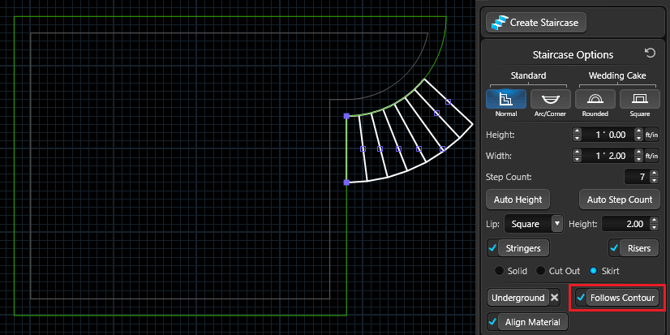
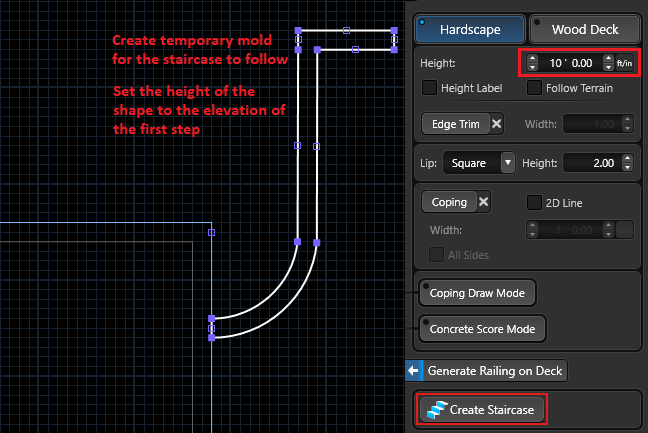
Tip: If you need to curve a staircase that doesn't have another hardscape to follow, create a temporary mold in the Hardscapes Stage. The staircase will follow the shape of the mold.
Create Staircase: Follow a Temporary Hardscape Mold
Set the height of the temporary hardscape to the elevation of the top step.
Once the staircase is attached, use the staircase options in the Panel to achieve the right look and then convert the staircase to Hardscapes.
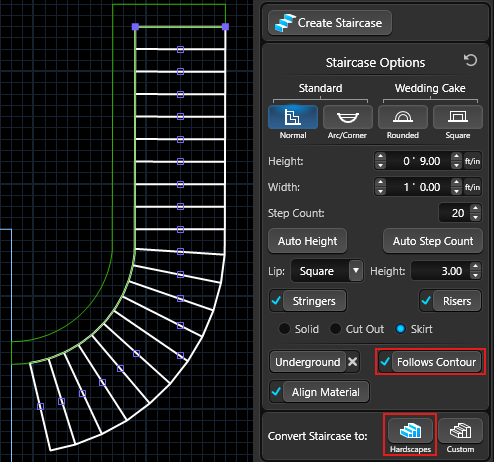
Once the staircase is complete, you can delete the temporary mold.