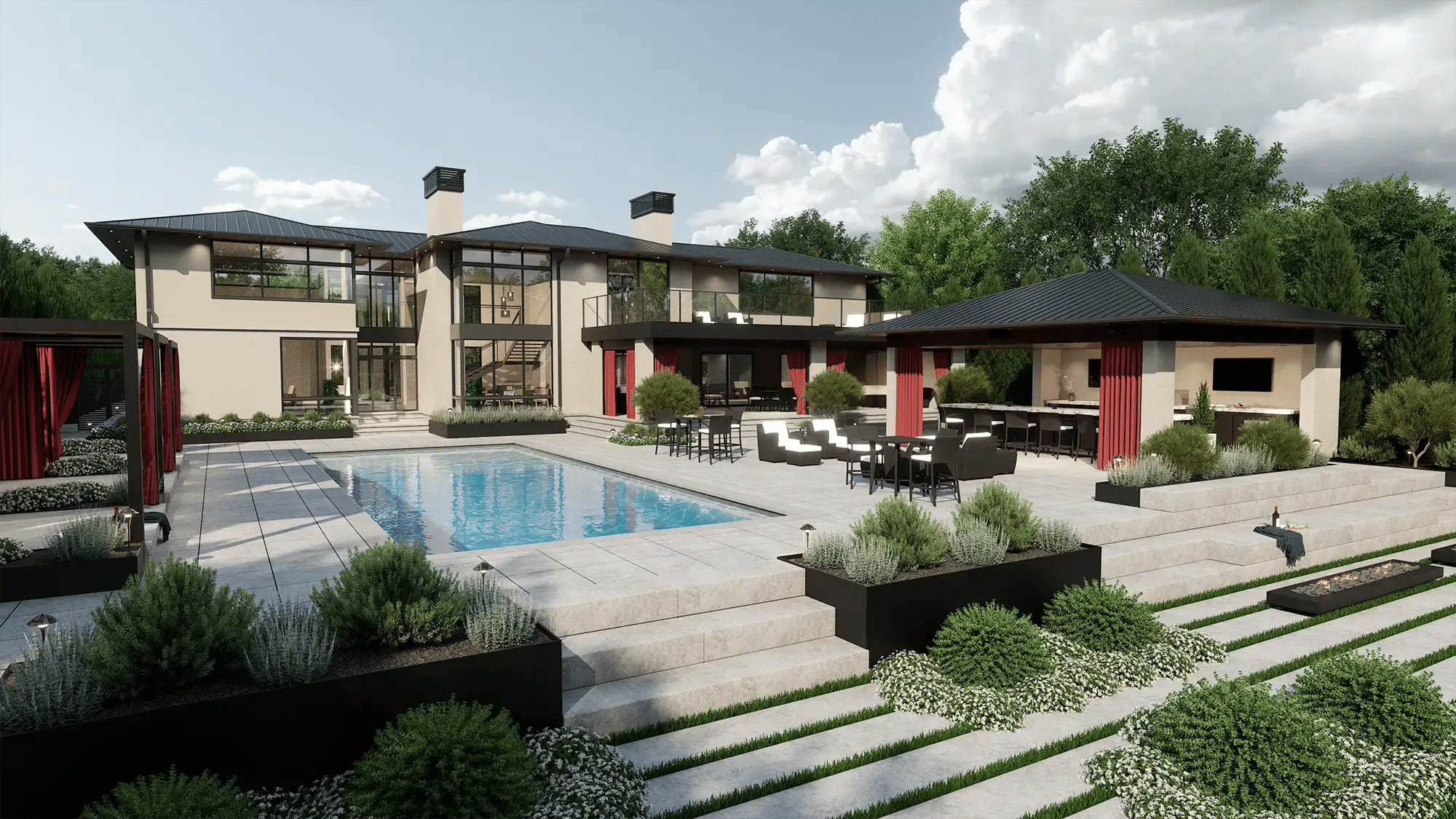




PRO Landscape and VizTerra start from different places. One starts with a photograph of the client’s property, the other with a scaled plan of the site, and that starting point shapes most of what comes after: how you present, how you revise, and what your crew builds from.
We build VizTerra, so you know where we’re coming from. We’ve also been building 3D design software for the outdoor living industry since 2001, and the questions designers bring us about PRO Landscape are nearly always about workflow rather than features.
That’s how the comparison below is organized: where each program begins, what happens when you start with a photo, what happens when you start with a 2D plan, and what each one hands you at the end. The criteria hold up whichever program you choose.
Key Takeaways
The two workflows side by side, before the detail.
- PRO Landscape+ starts with a photograph of the client’s property. You design plants, hardscape, and lighting onto that photo, then move into its CAD, 3D, and proposal tools as the job calls for them.
- VizTerra starts with a scaled 2D plan of the site. You draw the site, switch to interactive 3D in one click, keep designing there, and produce build-ready construction plans from the same project file.
- Both programs produce 3D. In PRO Landscape+, renderings, walkthroughs, and flyovers come from the CAD plan. In VizTerra, the 3D model is the project you work in.
- PRO Landscape+ includes a Companion app for iPad and Android. VizTerra runs on Windows, and YARD, our augmented reality app for iPad Pro, is an add-on to a Membership.
- A photo concept suits planting and refresh work on an established property. A site model suits jobs that change the shape of the site, and jobs where the crew builds from the approved design.
Where the Two Workflows Differ
Pricing is close enough that it rarely settles the decision. The rows that usually do are the ones about where each program starts and what it produces at the end.
|
Capability |
VizTerra |
PRO Landscape+ |
|---|---|---|
|
Starting point |
A scaled 2D plan of the site, drawn in the software or started from an imported plot plan or 2D AutoCAD file. |
A photograph of the client’s property, with plants, hardscape, and lighting designed onto it from a library of more than 19,000 images. |
|
Designing on a photo |
Not the design surface. A photo of the home can serve as a background, but the design is built as a model of the site. |
Yes. Photo Imaging is the signature workflow, and estimates can come straight from the photo. |
|
2D to 3D |
One click switches the view, and the design continues in 3D. Both views stay in step through every revision. |
A scaled CAD plan is taken into 3D for renderings, walkthroughs, and flyovers. |
|
Working in 3D |
The project is a 3D model you move through, shape terrain in, and light from day to dusk to night. |
The 3D Editor produces views from the plan, with tools for decking, fencing, arbors, and pergolas. |
|
Library |
1,748 trees and shrubs, 1,241 HD materials, and 1,922 3D objects and furniture pieces. |
More than 19,000 images of plants, grass, mulch, and hardscapes, per Drafix. |
|
Plans and quantities |
Square footage, linear footage, and material quantities are calculated as you design and go on to build-ready construction plans from the same file. |
Scaled CAD drawings support a complete material takeoff, and estimates come from the photo or the plan using your prices and tax rate. |
|
AutoCAD files |
Imports 2D AutoCAD files, which you can then edit in the project. |
Includes RealDWG from Autodesk for importing and exporting AutoCAD files. |
|
Lighting |
Day to dusk to night across the whole 3D model. |
Night and holiday lighting designed over a daytime photo and viewed as it would look at night. |
|
Tablets and field use |
Windows desktop. YARD, our augmented reality app for iPad Pro, is an add-on to a Membership. |
Companion app for iPad and Android included, with design and bidding on site. |
|
Business integrations |
None listed on our site. Ask our team about your setup. |
Jobber and QuickBooks Online. |
|
Training and support |
Video training series, the Help Center, and live phone, email, and chat support. Live classes are included with Pool Studio and Vip3D. |
Online training webinars and technical support included. |
|
Price per user |
$97 monthly, or $84 monthly on an Annual Membership ($997 a year), plus a one-time $95 setup fee. |
$90 monthly, or $900 a year. |
Two Different Starting Points
The clearest way to understand these programs is to follow one job through each of them, because the first step decides the shape of everything after it.
VizTerra
VizTerra is landscape design software we’ve built at Structure Studios since 2001, for landscapes, hardscapes, outdoor kitchens, decks, and pergolas. You draw the site in 2D, switch to interactive 3D in one click, and keep designing there until the project is ready to present and document.
It’s part of a family of three programs. Pool Studio adds custom pools, spas, water features, and ponds, and Vip3D adds advanced drafting, cross sections, and SketchUp and FBX import. The right one depends on the projects you design most, so see what VizTerra covers in detail.
PRO Landscape+
PRO Landscape+ comes from Drafix Software, founded in 1994. It’s a suite rather than a single tool: Photo Imaging, a landscape CAD planner, 3D rendering, night and holiday lighting design, proposal and estimate creation, AI design enhancement, and a Companion app for tablets, all in one plan.
Landscape contractors and garden centers use it because it carries a job from the first photograph of the property through to a priced proposal, and because much of that can happen on a tablet in the client’s driveway.
What Happens When You Start with a Photo
In PRO Landscape+, the first thing you do is photograph the client’s property. You then design onto that photo, placing plants, mulch, pavers, walls, and lighting from the image library, and the client sees the proposal on their own house rather than on a drawing of it.
That serves you well on planting refreshes and front-yard work, where the grade and the structures stay put, and the question is what goes in the beds. It also suits a first-visit presentation, where a convincing concept before you leave the driveway matters more than a dimensioned drawing.
Lighting is a third case. Fixtures and holiday strings shown over the actual facade, viewed as they would look at night, do most of the persuading on their own, and PRO Landscape+ has dedicated tools for exactly that.
A photo gets harder to work from when the design changes the shape of the site. A regraded slope, a raised patio, a deck off the second story, or the view from the kitchen window all live outside the frame of the picture you took.
PRO Landscape+ answers that with its CAD planner and 3D rendering, which is where dimensions, material takeoffs, and the extra views come from, so a larger job moves from the photo into the plan.
The practical effect is that the concept you presented and the plan you build from are two documents, and keeping them in step through revisions is up to you.
What Happens When You Start with a 2D Plan
In VizTerra, the first thing you do is draw the site. You start from a scaled plot plan, an imported 2D AutoCAD file, or measurements from the site visit, and lay out the property lines, the house footprint, the existing trees, and the grade.
That plan is the project, so everything you add from here carries dimensions, and the quantities start adding up from the first paver.
One click switches the view to interactive 3D, and the design continues there rather than stopping for a presentation. You shape the terrain, raise the patio, swap paver and tile options with the client watching, and place the planting.
Then you move the time of day from noon to dusk to night and check how the lighting reads from the patio and from the upstairs windows, before the client ever asks.
The 2D plan and the 3D view are the same file seen two ways, so a change in one appears in the other. When the client moves the fire pit on revision three, the plan, the presentation, and the quantities agree without anyone redrawing anything.
The trade-off is setup. Building a site model takes longer on day one than placing plants onto a photograph, and that time pays for itself on jobs where the design changes the site, where the crew builds from your drawings, or where the client wants to walk the space rather than look at a picture of it.
Where 3D Sits in Each Workflow
Both programs produce 3D, and they get there from opposite directions. In PRO Landscape+, you create 3D renderings, walkthroughs, and flyovers from the scaled CAD drawing, add textures, and show the client the proposed project from angles the photograph didn’t cover.
That 3D Editor is a substantial module rather than a preview. The Version 25 release rebuilt it with tools for decking, fencing, arbors, and pergolas, and the ability to build your own 3D models.
In VizTerra, 3D isn’t a separate step. The model is the working environment where you adjust terrain, refine materials, tune lighting, and place plants, and the presentation at the end is the same model the client can move through.
The difference shows up most during revisions. A design that lives in one file has nothing to re-render or reconcile when the client changes their mind, which is usually the third meeting, not the first.
Construction Plans and Proposals
PRO Landscape+ is built to end in a proposal. Estimates come from either the photo or the CAD plan using your own prices and tax rate, the scaled drawings support a complete material takeoff, and the proposal bundles the design, the bid, and the presentation.
If your bottleneck is the time between the site visit and a priced proposal, that’s the problem it solves.
VizTerra is built to end in construction plans. Smart Data, the calculations that run as you design, works out square footage, linear footage, and material quantities from the model itself, and those figures go onto build-ready construction plans produced from the same project file as the 3D design.
Pool Studio and Vip3D carry the same plans, and Vip3D adds cross sections and advanced drafting for jobs that need them. If the plan your crew builds from has to match the design your client approved, down to the last paver, that’s the problem VizTerra solves.
Designing in the Field
PRO Landscape+ has the stronger answer here, and it’s worth saying so plainly. The Companion app for iPad and Android is included, so you can design and bid a job standing on the property and move that work between the tablet and the desktop.
VizTerra runs on Windows, so on-site work happens on a laptop. YARD, our augmented reality app for iPad Pro, is an add-on to a VizTerra, Pool Studio, or VIP3D Membership rather than a separate program.
With YARD, you import a finished design, view it at full scale on the actual property, sketch simple concepts in place, and hand the iPad to the client so they can walk the space.
If most of your work is presented at the kitchen table on the first visit, weigh that difference heavily. If the first visit is for measuring and the design is presented on a second visit, it matters less.
Learning the Software
PRO Landscape+ gets most designers to a usable concept quickly, because designing onto a photograph is the first thing you learn and the Companion app works the same way. Drafix includes online training webinars and technical support with the plan.
VizTerra asks for more at the start, since you’re building a model of the site rather than placing items onto an image. The workflow is guided stage by stage, and no AutoCAD or drafting background is required.
A video training series covering every stage of a project, the Help Center, and live phone, email, and chat support from our team come with VizTerra. Live training classes taught by expert trainers are included with Pool Studio and Vip3D.
Who Each One Fits
Here’s how we’d lay out the choice for a designer deciding this month.
|
Your situation |
Where to look |
Why |
|---|---|---|
|
You present on the first visit, from a tablet, in the client’s driveway |
PRO Landscape+ |
Photo Imaging and the Companion app are built for designing and bidding on site. |
|
Most jobs are planting and refresh work on established properties |
PRO Landscape+ |
A photo of the property is often the quickest way to show what changes in the beds. |
|
Lighting proposals are a large part of the business |
Either |
PRO Landscape+ designs night and holiday lighting over the photo. VizTerra lights the whole model from day to dusk to night. |
|
Jobs involve grading, terrain, decks, or outdoor kitchens |
VizTerra |
A site model carries elevation, structures, and materials with their own dimensions and quantities. |
|
Your crew builds from plans that must match the approved design |
VizTerra |
Plans and quantities come from the same file as the design, so the two can’t drift apart. |
|
You want the client to walk through the space rather than view a picture of it |
VizTerra |
The project is a model the client can move through, from the patio, from upstairs, and at dusk. |
|
Pools or water features are part of the work |
Pool Studio or Vip3D |
Both add custom pools, spas, and water features to everything VizTerra offers, and both include live training. |
Pricing and What Comes with It
Price rarely settles this decision, because the two are close. PRO Landscape+ runs $90 a month, or $900 a year billed annually.
VizTerra runs $97 per user per month, or $84 per user per month on an Annual Membership, which is $997 a year, plus a one-time $95 setup fee.
The full Membership pricing covers all three programs.
What differs more than the price is what surrounds it.
|
One designer |
VizTerra |
PRO Landscape+ |
|---|---|---|
|
Membership |
$97 monthly, or $84 monthly on an Annual Membership ($997 a year) |
$90 monthly, or $900 a year |
|
One-time setup |
$95 |
None published |
|
Tablet app |
YARD for iPad Pro, an add-on to a Membership |
Companion app for iPad and Android, included |
|
Training |
Video training series included. Live classes included with Pool Studio and Vip3D |
Online training webinars included |
|
Support |
Live phone, email, and chat from our team, Monday to Friday |
Technical support included |
|
Optional add-ons |
GIS and 3D terrain data, and YARD, both at additional cost |
None published |
|
Computer |
A Windows machine meeting the Version 4 requirements: Windows 11, Core i7, 16GB, RTX 4060 or greater |
Windows desktop, plus a tablet for the Companion app |
VizTerra builds and lights a full 3D model in real time, so it asks more of a computer than photo editing does. Check your machine against the Version 4 requirements before you start a trial, or call our team and we’ll help you choose one for your workload.
If pools or higher-end outdoor living work are in your plans, look at where the business will be in a couple of years rather than where it is today, since Pool Studio and Vip3D include everything VizTerra offers.
Switching from PRO Landscape to VizTerra
Existing PRO Landscape designs don’t carry over, because a photo-based concept and a 3D site model are built on different foundations. A firm that moves starts new projects in VizTerra rather than importing old ones.
That’s less disruptive than it sounds. Finished jobs rarely need rebuilding, and most firms that switch do so because their work has outgrown photo concepts, not because they want to redo the last two years.
Background plot plans and 2D AutoCAD files do import, so survey and base plan work comes with you even though designs don’t.
The designers who make the move most comfortably do it in a slower stretch, rebuild two or three representative projects as a way of learning the stages, and keep the training videos open while they do it.
Plenty of firms run both for a season, with photo concepts for quick refresh work and a site model for the larger builds. That’s a reasonable setup rather than a failure to commit.
Questions Worth Asking Before You Decide
These five tend to settle the choice faster than another feature list does.
- Where do you present, in the client’s driveway on the first visit or at a scheduled meeting with time to walk through the design?
- Who builds the job, and does that crew need dimensioned plans and quantities that match the approved design exactly?
- How often does a client ask to see the design from somewhere the photograph wasn’t taken from, such as the patio, the kitchen window, or an upstairs bedroom?
- Does the work change the shape of the site, with grading, retaining walls, raised patios, or decks, or does it mostly change what’s planted on it?
- Where do you expect the business to be in two years, and does that include pools, water features, or high-end outdoor living?
Frequently Asked Questions
Can I design onto a photo of the client’s property in VizTerra?
Not as the design surface. You can bring a photo of the home into a project as a background, but the design itself is a model of the site built from a scaled 2D plan.
If designing onto the photograph is the center of how you present, PRO Landscape+ is built around exactly that.
Does PRO Landscape+ produce 3D?
Yes. From a scaled CAD drawing, PRO Landscape+ produces 3D renderings, walkthroughs, and flyovers, and its 3D Editor includes tools for decking, fencing, arbors, and pergolas.
The difference from VizTerra is structural rather than a missing feature. In PRO Landscape+, you take a finished design into 3D, while in VizTerra the 3D model is where the design is made.
What does a VizTerra project start from?
A scaled 2D plan of the site. You can draw it from site measurements, start from an imported background plot plan, or import a 2D AutoCAD file and edit it in the project.
From that plan, one click switches the view to interactive 3D, where you keep designing, present to the client, and prepare the construction plans from the same file.
Can I design or present on a tablet?
With PRO Landscape+, yes. The Companion app for iPad and Android is included, and designs move between the tablet and the desktop.
VizTerra runs on Windows. YARD, our augmented reality app for iPad Pro, is an add-on to a Membership for presenting a finished design at full scale on the property and sketching simple concepts in place.
Can I import my PRO Landscape projects into VizTerra?
No. Photo-based concepts and 3D site models are built on different foundations, so existing designs are rebuilt as new VizTerra projects rather than imported.
Background plot plans and 2D AutoCAD files do import, so base plan work carries over. Most firms rebuild only the few projects they reuse as templates and start fresh on everything else.
Which one handles grading, decks, and outdoor kitchens?
VizTerra, because those elements change the shape of the site rather than sitting on top of it. Terrain, elevations, deck framing, pergolas, and outdoor kitchens are modeled in three dimensions and carry their own measurements and material quantities.
A photo concept can show a finished deck convincingly. Working out the grade change and the square footage underneath it is a job for the plan, which in PRO Landscape+ means moving the design into its CAD planner.
How do the construction plans differ?
VizTerra produces build-ready construction plans from the same project file as the 3D design, with Smart Data calculating square footage, linear footage, and quantities as you work. PRO Landscape+ produces scaled CAD drawings with a material takeoff and turns them into estimates and proposals using your prices.
One ends in a plan set for the crew, the other in a priced proposal for the client, and plenty of firms need both at different points in a job.
Does VizTerra design swimming pools?
No. VizTerra covers landscapes, hardscapes, outdoor kitchens, decks, and pergolas. Pools, spas, water features, and ponds are designed in Pool Studio or Vip3D, both of which include everything VizTerra offers and add live training classes.
If pools are part of the business, start the comparison at Pool Studio.
Choosing Between VizTerra and PRO Landscape
Start from where each program starts. If a photograph of the property is where your design conversation begins and a priced proposal is where it ends, PRO Landscape+ is built for that sequence, with CAD and 3D ready when a job calls for them.
If the site plan is where your design begins and the crew’s plan set is where it ends, with the client walking through the 3D model somewhere in between, VizTerra is built for that sequence.
Either way, the client ends up looking at their own property, their own house, and their own driveway. The difference is whether they look at a picture of it or move through it at dusk, and which fits the jobs you take on.
The quickest way to find out is to design your next project both ways and see which conversation the client leans into. Start your free 30-day trial of VizTerra with that next project.